



Attendance & HR
How to manage employee attendance in India
Shifts, grace periods, Indian leave types and WFH approvals in one dashboard, with time tracking and GST invoicing.
- 14-day free trial
- No credit card
- ₹120/user/month + GST
What Trakkar keeps together
Managing employee attendance in India means shift start times, grace minutes, casual and earned leave, festival holidays, and WFH weeks. A simple clock-in button doesn't cover it, and spreadsheets get harder to keep straight as headcount and approval chains grow. Trakkar models the shift and leave templates Indian teams use, routes WFH and corrections through one Requests queue, and keeps attendance beside billable project time, so operations and finance work from the same numbers.
Trakkar Premium is ₹120/user.
Shifts · grace · leave · WFH · India
How it works in Trakkar
A practical workflow your team can run every billing cycle.
- Configure shifts, grace, and holiday calendarSet default shift start (for example 9:30 AM), grace minutes, and regional holidays. Employees see the rule on the attendance screen when they check in.
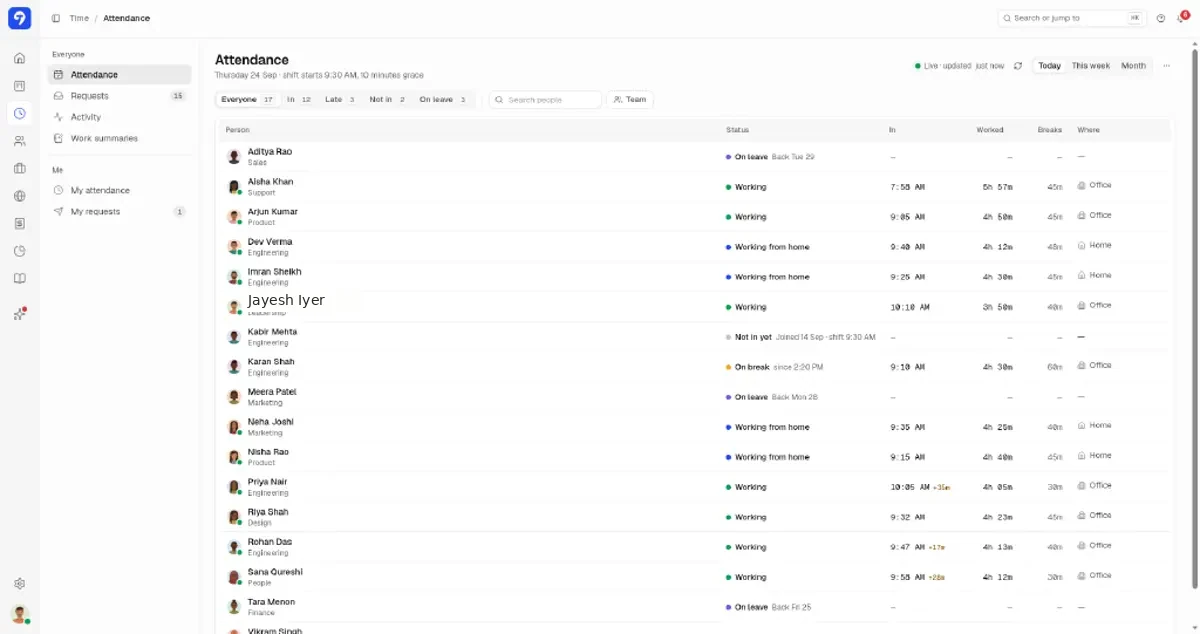
There is a short walk-through of shift timings and grace on a team roster.
- Define Indian leave types and balancesUse templates for casual, earned, sick, and unpaid leave with opening balances. Leave reasons stay visible to HR and managers, not the whole company.
- Monitor the live attendance boardFilter by in, late, not in, or on leave. See check-in time with late minutes after grace, worked hours, breaks, and office vs home location.
Watch clock-in and worked hours in one step, including late minutes after grace.
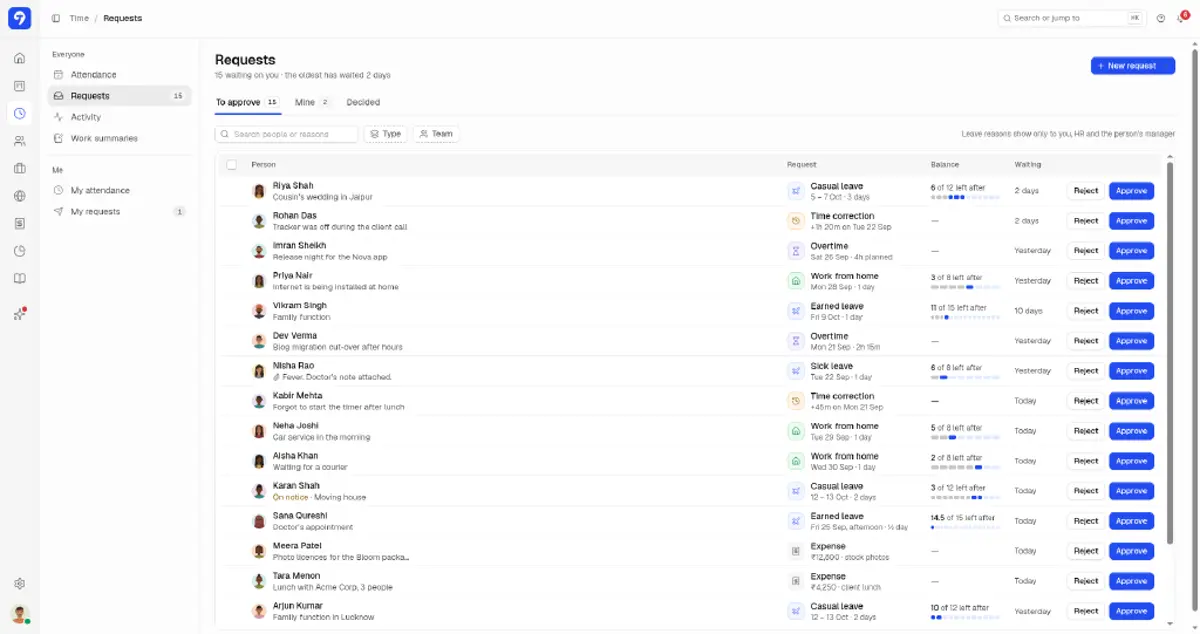
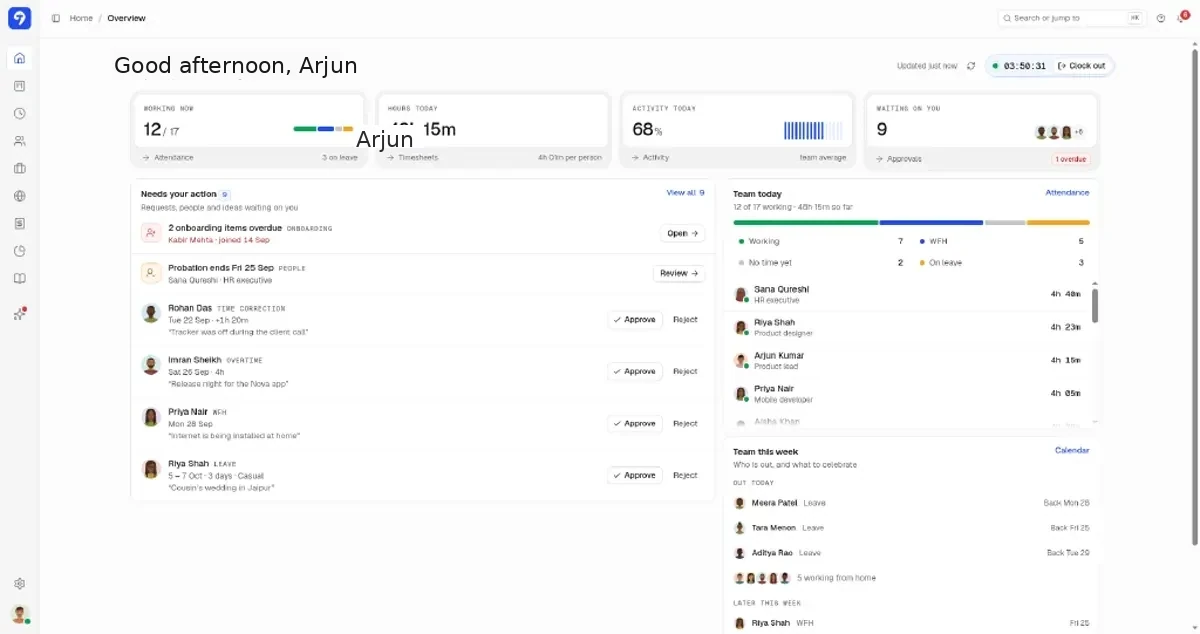
- Approve leave, WFH, and time correctionsManagers act on pending items from Requests or the home dashboard. Approvals update balances and attendance automatically, so nobody enters anything twice.
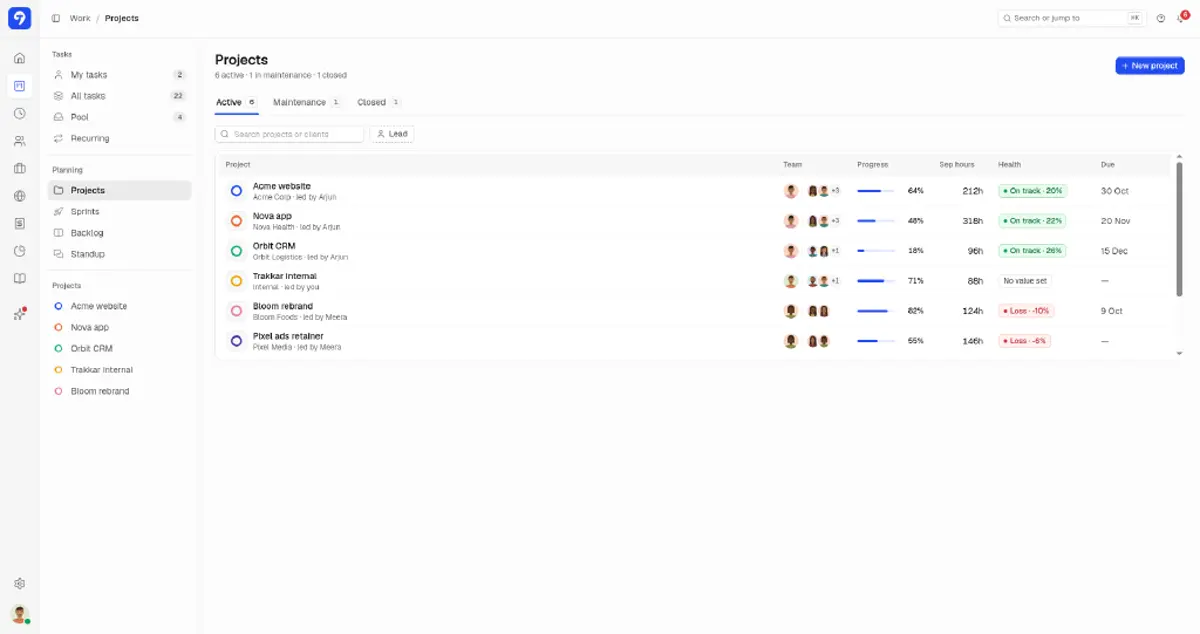
- Keep attendance, leave, and WFH in one placeAttendance, leave, and WFH records sit in one place, next to project time, so you don't rebuild them in a spreadsheet at month end.
Want to see it on your own team first?
We'll show you the desktop timer, timesheets and hours on every task card, then answer your questions.
Or try it free for 14 days (opens in a new tab), no card needed.
What this looks like in Trakkar
Leave, shifts, and GST on one platform
HR software alone does not bill clients; time trackers alone do not understand earned leave.
Trakkar combines attendance, Indian leave workflows, billable time, and GST invoicing at ₹120/user/month + GST. For a copyable policy and a sample warning letter, see the unplanned leave policy template. For the full product page, see attendance management software for India. CA firms can download the free CA firm attendance register template, or use the monthly attendance percentage calculator for a one-off figure. Teams outgrowing Zoho People plus a separate timer can compare on our Zoho People alternative page.
- Shift start, grace, and late minutes after grace
- Casual, earned, sick leave with balances
- WFH and on-duty requests with approvals
- Time correction workflows
- Finance module for GST invoices in rupees
Trusted by 100+ teams across India






Common questions
Does Trakkar support shift timings and grace period?
Yes. Configure shift start time and grace minutes. Late arrivals show how many minutes past grace the employee checked in.
Which Indian leave types are supported?
Trakkar includes templates for common leave types such as casual, earned, and sick leave, with balances and approval workflows. Customize labels to match your HR policy.
Does Trakkar run payroll?
No. Trakkar keeps attendance, leave, and WFH records in one place, next to project time and GST invoices. For salaries and statutory filing, keep using your payroll provider.
How does Trakkar compare to Zoho People for attendance?
Zoho People focuses on HR records and leave. Trakkar adds billable project time, screenshots, and GST client invoicing in the same product. See our Zoho People alternative page, or the Trakkar vs greytHR comparison if you are weighing an HR-payroll suite.
What does attendance management cost?
Attendance, leave, shifts, WFH approvals, time tracking, and GST invoicing are included in Trakkar Premium at ₹120/user/month.
Try Trakkar
₹120/user/month + GST ($5/user/month outside India). 14-day free trial for any number of users, no credit card. Every module is included.