



Remote teams
How to track remote employees in one tool
See who's working, where, and on what, with screenshots, WFH, and attendance.
- 14-day free trial
- No credit card
- ₹120/user/month + GST
What Trakkar keeps together
Trying to track remote employees falls apart when attendance lives in one app, project time in another, and approvals in email. Indian agencies also need WFH requests, shift policies, and leave records in one place, without buying Hubstaff, a separate HR tool, and an invoicing product. Trakkar combines live attendance, screenshots, and project time on the same platform your finance team already uses for GST invoices.
Trakkar Premium (₹120/user/month + GST) replaces monitoring, HR, and billing tools.
WFH · attendance · screenshots
Comparing tools? See remote employee tracking software for India, Clockify alternative, Time Doctor alternative, and all comparisons. Trakkar costs ₹120/user/month + GST, and that price includes screenshots and GST invoicing. To see what each project costs, see project profitability tracking.
How it works in Trakkar
A practical workflow your team can run every billing cycle.
- Publish shift and WFH policiesSet shift start times, grace minutes, and whether WFH needs manager approval. Employees see the policy on their attendance screen before they clock in.
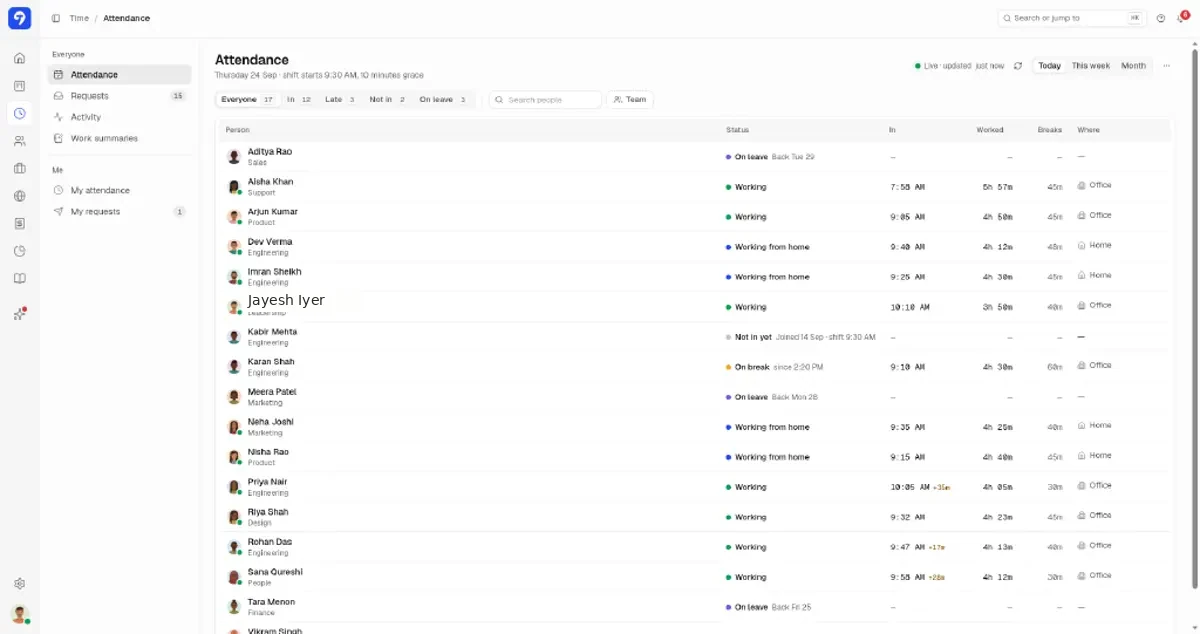
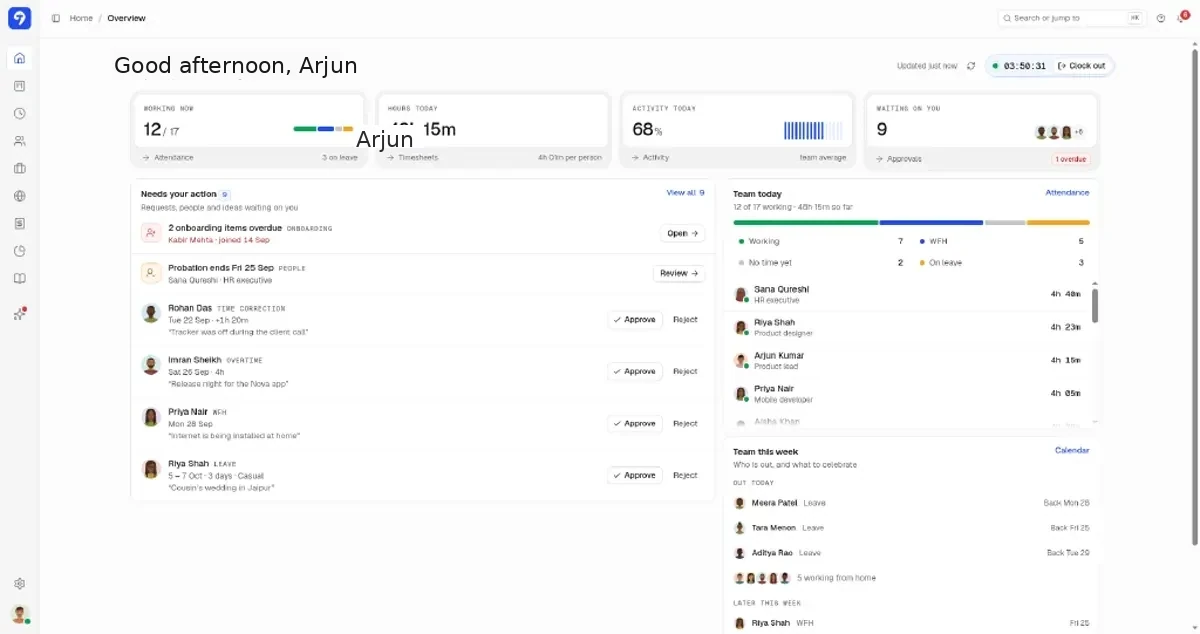
- Have remote staff clock in from the web or phoneCheck-in records office or home, start time, and late minutes after grace. Managers see a live board of their team: who's in, on break, or not started yet.
- Set screenshots and app tracking per personScreenshots and app/URL tracking run in the Windows and macOS desktop app and are on by default; admins can turn each off for any person. Screenshots are taken every 10 minutes by default, and you can set a different interval for each person.
You can also watch how roles decide who can see what.
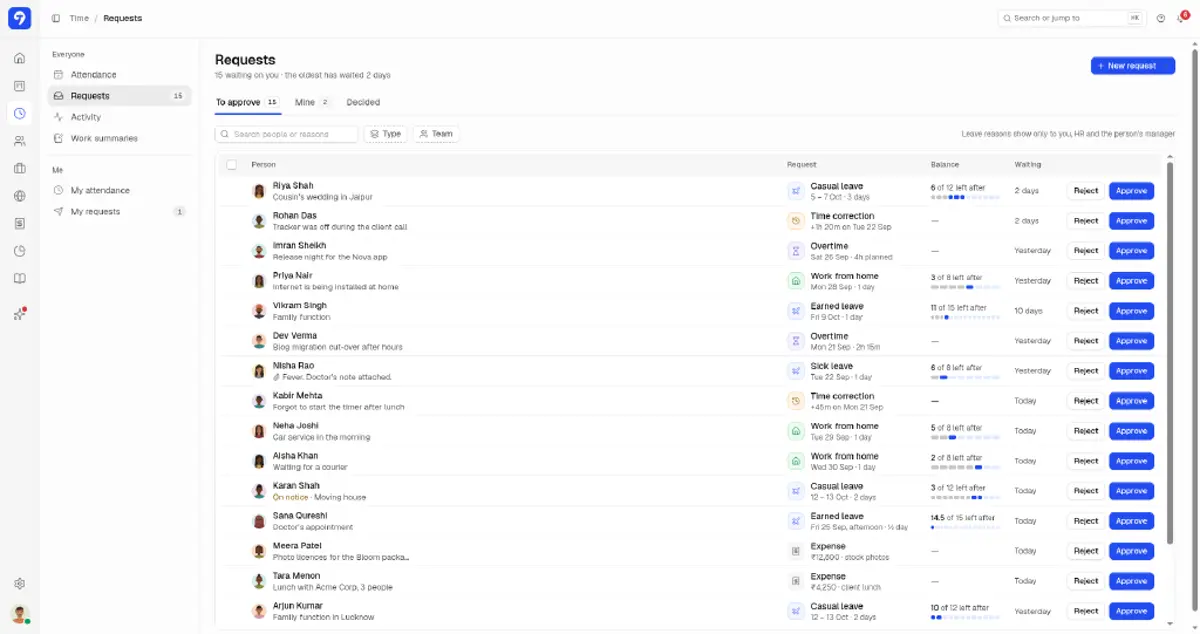
- Route WFH, leave, and corrections through RequestsWFH for a single day, casual leave, and time corrections sit in one approval queue with reasons visible to HR and managers only.
Watch how WFH and overtime requests get approved in the short walk-through.
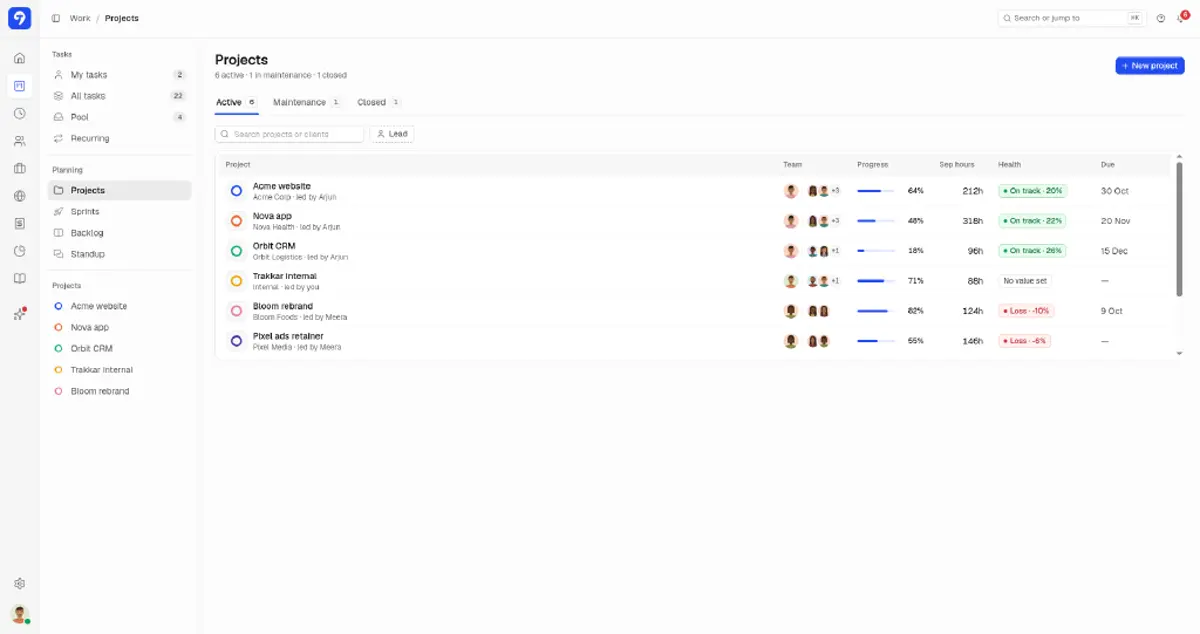
- Review project marginsOpen each project's Budget tab to see its cost to date against its value. Cost comes from tracked hours and each person's cost rate.
Want to see it on your own team first?
We'll show you the desktop timer, timesheets and hours on every task card, then answer your questions.
Or try it free for 14 days (opens in a new tab), no card needed.
What this looks like in Trakkar
Transparent monitoring policies
Trakkar is built for agencies that need proof of delivery. Screenshots are on by default in the desktop app, and admins can turn them off for anyone. Pair them with project time and async standups so managers coach instead of chase.
- Live attendance: in, late, on leave, WFH, on break
- Screenshots, set per person
- WFH and leave requests with audit trail
- Client portal for progress, not raw surveillance feeds
One price vs Hubstaff + HR + invoicing
₹120/user/month + GST
Trakkar Premium at ₹120/user/month + GST includes remote employee monitoring, attendance, leave, GST invoicing and projects, with a margins view on each project's Budget tab. If you're paying for separate monitoring, HR, and invoicing tools today, compare on our Hubstaff and Time Doctor alternative pages.
Trusted by 100+ teams across India






Common questions
Are screenshots mandatory for remote employees in Trakkar?
No. Screenshots are on by default in the desktop app. Admins can turn them off for anyone and set each person's interval: every 10 minutes by default, at fixed or random times. You can keep them on for client-facing delivery teams and turn them off for others.
Can employees work from home with manager approval?
Yes. WFH is a request type in the same Requests queue as leave, overtime, time corrections and expenses, and employees add a reason to each request. Approvers see the reason and the person's remaining WFH days, and they can approve on the web or in the Android and iPhone apps.
Does Trakkar show office vs home attendance?
Yes. The attendance board shows whether someone checked in from the office or home, with worked hours and break totals for the day.
How is Trakkar different from Hubstaff or Time Doctor?
Trakkar includes time tracking with screenshots, plus Indian leave, GST invoicing, and a client portal, at ₹120/user/month + GST. For a pricing and feature comparison, see our Hubstaff and Time Doctor alternative pages, or the best time tracking software in India shortlist.
Does Trakkar run payroll?
No. Trakkar keeps attendance, leave, and WFH records in one place, next to project time and GST invoices. For salaries and statutory filing, keep using your payroll provider.
Try Trakkar
₹120/user/month + GST ($5/user/month outside India). 14-day free trial for any number of users, no credit card. Every module is included.