Short answer: unplanned leave is same-day or emergency time off your project plan didn't include. It quietly erodes agency margins when leave data never connects to milestones and invoices.
You find out on Monday morning. Your lead designer is sick. The client deck is due Friday. You have no backup plan, no coverage note, and a client call at 2pm. People fall sick. That part is normal. Having no plan for it is a capacity planning gap, and it will happen again. Few teams ever work out what that one absence costs the project.
Unplanned leave is any absence that wasn't booked in advance, like illness, a family emergency, or a personal day taken with little notice, so staffing and delivery plans assumed the person would be available.
What unplanned leave costs your agency
Here is an illustrative example with made-up numbers. A team member billed at ₹1,500 an hour misses an eight-hour day. That is ₹12,000 of billable time gone, and the bigger cost comes later.
The real damage looks like this: the project timeline slips by a day, the milestone moves to next week, the invoice goes out late, and the cash arrives weeks after you planned for it.
Stay with the illustrative example. In a 10-person team, two client-facing people each miss two days in a month. That is 32 billable hours. At ₹1,500 an hour, ₹48,000 of work can't be billed on time that month. This kind of loss is easy to miss when it gets filed under "stuff happens" instead of being counted as a business cost.
Why you do not see it coming
Most agencies handle leave in one of three ways:
- A Slack message: "Hey, sick today, back tomorrow."
- A shared Google Calendar that is three weeks out of date.
- A WhatsApp group where half the team has notifications off.
None of these give your project manager a real-time view of who is available today. None of them connect to your project timeline. None of them trigger a coverage review.
You are making staffing decisions with stale data, every single day.
When you ask why a project ran over, the honest answer is often not scope creep. It is accumulated capacity loss that was never accounted for.
The signals you are probably ignoring
If any of these sound familiar, you have a leave-visibility problem:
- Your PMs find out about absences on the morning they happen.
- You have sent at least one "running slightly behind" client email that traced back to someone being out.
- You invoice on milestone and regularly push invoices by a week or more.
- You have no report showing how many days were lost to leave last quarter.
- Your capacity plan for a 6-week project has no leave buffer built in.
Each item on that list is a symptom of the same root issue: leave data lives somewhere that has no connection to your project data.
What tracking leave actually means for an agency
Leave management at most agencies means HR compliance: who took how many days, is it within the allowed limit, did they submit the form.
That is the wrong frame entirely.
For an agency, leave management should answer three questions on demand:
- Who is unavailable today, and what is their active project load?
- If they are out tomorrow, which milestones are at risk?
- How much capacity did we lose last month, and what did it cost?
The attendance management data is the starting point. You need to know who is in, who is not, and whether that absence was planned or a surprise. That is a different data point from knowing headcount on a calendar.
The second layer is leave management: who has leave or WFH requests in for the next two weeks, and which projects are running during that window.
The third layer is project and task data. If your lead developer is out Friday and the sprint closes Friday, your PM needs to know that today, not Thursday evening.
When you can answer those three questions on demand, unplanned leave stops being a crisis and becomes a manageable variable.
An illustrative example: one month at an eight-person agency
The agency below is made up, to show how the numbers move. Picture a design and content agency with eight people: three designers, two copywriters, one project manager, one ops lead and one founder.
In one month, they lose four unplanned absence days across the team. That sounds small.
Two of those days belong to their senior designer, who is on three active client projects. Two milestones on those projects slip by one week each.
The agency sends invoices in one billing run each month. Both milestones miss this month's run, so the two invoices, worth ₹3.5 lakh together, wait for next month's.
On 30-day payment terms, money that should have arrived around week 6 now lands around week 10.
The ops lead sees the gap in week 6, when the payment she expected doesn't arrive. By then, she has already committed to two new project starts that assumed the ₹3.5 lakh would land on time.
None of this was anyone's fault. None of it was tracked either.
To see the full picture, put each month's absence days next to the projects those people were working on. Do it before your end-of-month billing review and you will guess a lot less.
What to do this week
You do not need a new process. You need to close the visibility gap.
Step 1: Audit last month's absences. Pull your Slack or calendar for any "out sick" or "taking a day" messages from the last 30 days. Count the total days. Match each day to the active projects that person was on. Write down the value of any milestones that moved. That number is your baseline.
Step 2: Set up one source of truth for leave. Pick a single place and require everyone to log leave there before they are out, not on the morning of. You cannot plan around data you do not have. This change closes a large part of the visibility gap.
If you need a written rule to share with the team, start from our unplanned leave policy template.
Step 3: Connect your leave calendar to your project plan. For every project with a tight deadline, add a note: if this person is out in week 4, which tasks move? It is a short exercise, and it saves scrambling later.
Step 4: Build a capacity buffer into every project. If your team is planned at 100% allocation, any absence turns into an overrun. Start with a small buffer, for example 10%, which is three working days on a 6-week project, then adjust it using the absence numbers from Step 1. You are planning for absences you already know will come.
Step 5: Review leave impact every month. Check four things: total absence days, project delays tied to those absences, invoice delays, and whether your buffer held. Over a few months, this review shows you where absences keep costing you money.
Audit one project before you try the full portfolio. It is quick, and it gives you a concrete number to bring to the next team meeting. If you try to cover every project at once, the audit tends to stall.
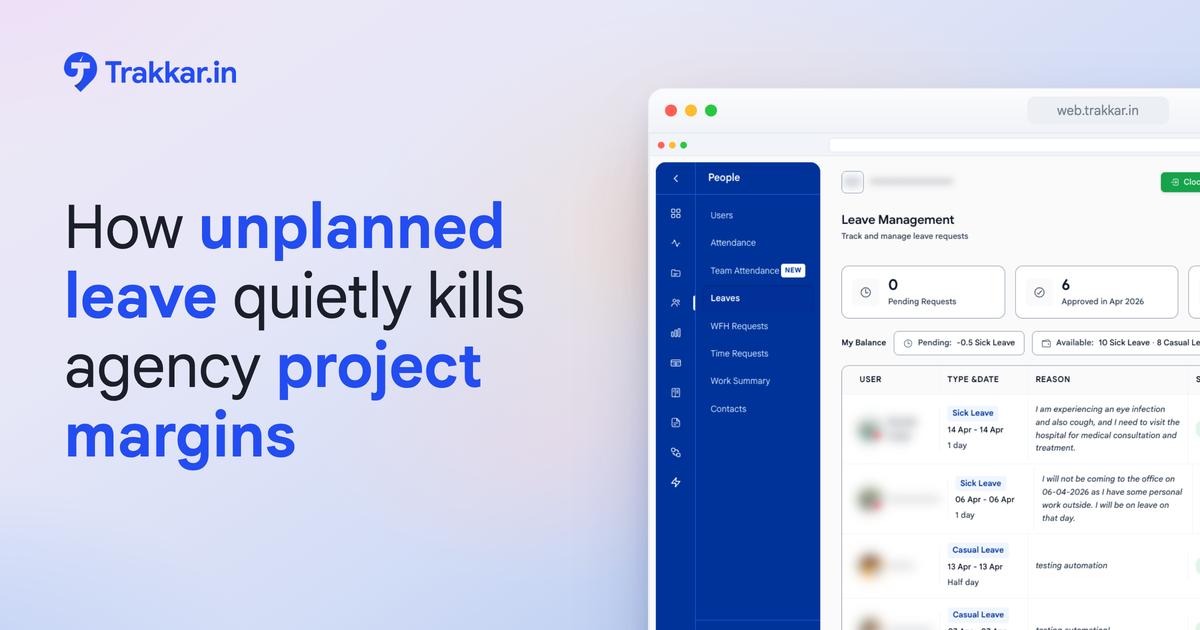
In Trakkar, leave and WFH requests go through one approvals queue in leave management, and attendance tracking records when people clock in on the web app, Android or iPhone. Projects and tasks sit in the same app, and each project's Budget tab shows its margin once you set a project value. So for the monthly review, your leave records and project numbers come from one tool. You don't have to dig through Slack history and calendar screenshots.
To see leave approved in one place, with the balance in front of the approver, watch how a request moves through that queue.
The bottom line
You can't avoid unplanned leave. In the UK, employers reported an average of 9.4 days of sickness absence per employee over the past year, according to the CIPD's Health and wellbeing at work 2025 survey. Your team's number will be different, so use your own leave records as the baseline. Just don't plan as if it's zero.
What you can control is whether those days hit your team as a surprise or as a planned variable. The difference is visibility. Not more meetings, not more check-ins, just data that lives in one place and connects to your project timelines.
To see leave, attendance and project budgets together in Trakkar, book a 30-minute Trakkar demo. We'll show you how your team would request leave, clock in and check each project's margin.